 log
log☎️ VoIP
I pay my share of the family phone plan ($15/mo), and in return I get unlimited texts, 1000 minutes of calls, and 1 GB of data. This is already extraordinarily cheap, but for how little I use the service I think I can do better, at least in terms of raw cost of owning a phone number on which I can make and receive voice calls. I can get the cost down to pennies a month, depending on how much time I spend in a phone call.
I do not actually intend to use this as my primary phone number, this is just for fun.
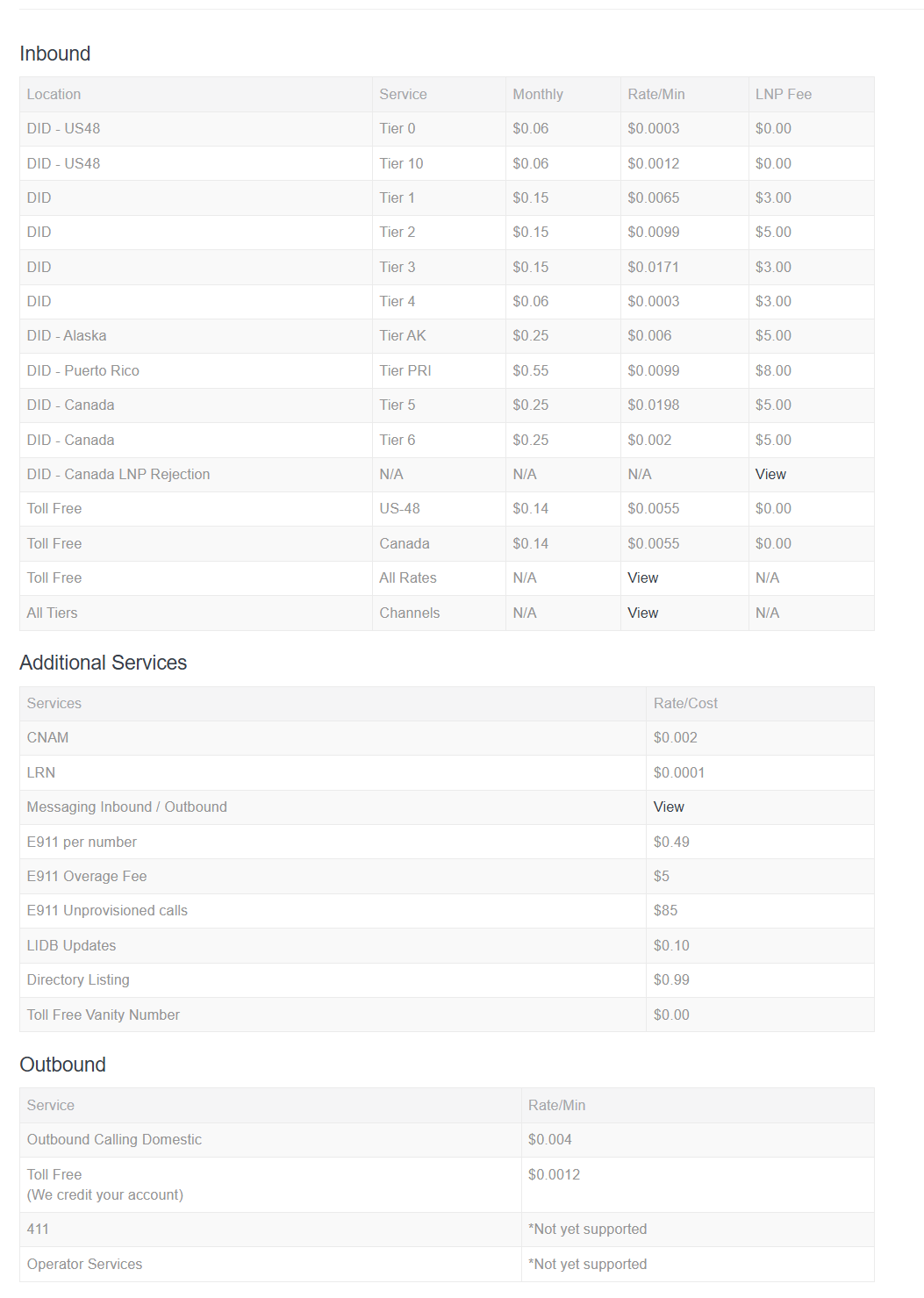
As usual, my thriftiness comes at high cost:
- I must have an internet connection to make and receive calls.
- Poor audio quality: I will be limited to narrowband audio, since my SIP trunk/carrier (BulkVS) does not support wideband audio.
ℹ️ Overview
I need a few pieces to make this work: a PBX (FreePBX on Debian), a SIP trunk/carrier (BulkVS), and a VoIP phone or softphone (MicroSIP, Linphone).
PBX
The PBX is the phone system. I run it on a small VM with FreePBX installed. It answers incoming calls, sends calls to extensions, applies inbound and outbound routes, manages voicemail, and gives SIP phones or softphones a place to register. In my setup, the PBX is the part I control.
SIP Trunk
The SIP trunk/carrier is the bridge to the public phone network. I use BulkVS for this. BulkVS gives me a DID, which is the phone number people call, and a SIP trunk, which is the connection FreePBX uses to send and receive calls. In this setup, BulkVS is the part that connects my FreePBX server to normal phone numbers.
Softphone
The VoIP phone or softphone is the device I actually talk through. A hardware VoIP phone would sit on my desk like a normal phone. A softphone is an app, such as MicroSIP on Windows or Linphone on Android. Either way, the phone registers to FreePBX as an extension.
It needs:
- FreePBX server address
- extension number
- extension’s SIP password
The simple version is: callers reach the BulkVS DID, BulkVS sends the call to FreePBX, and FreePBX rings my VoIP phone or softphone. For outbound calls, my phone sends the call to FreePBX, FreePBX sends it to BulkVS, and BulkVS carries it to the public phone network.
⚙️ Configuration
PBX host
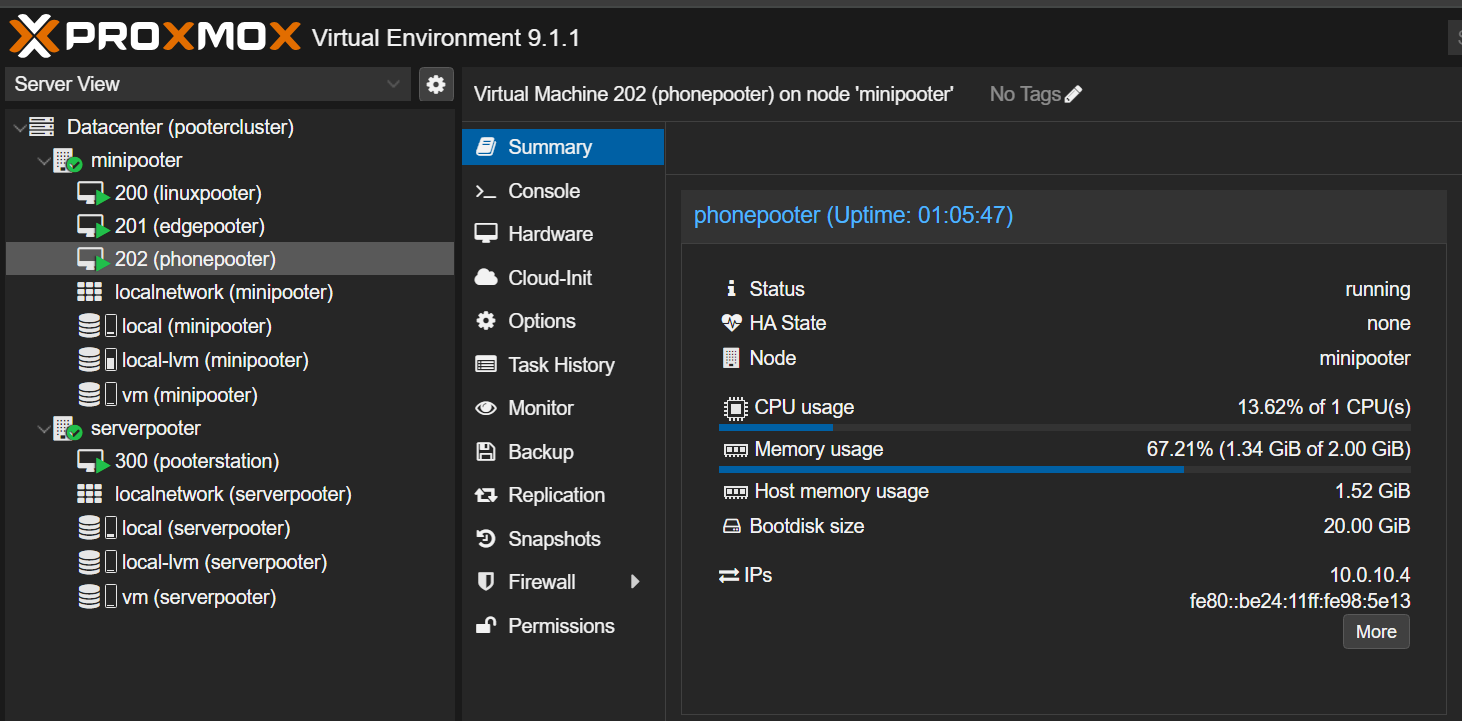
The PBX runs as a small Debian 12 VM with FreePBX installed.
- RAM: 2 GiB
- Disk: 20 GiB
- Network: static internal IP address
- Admin: FreePBX web UI initialized
Phone extension
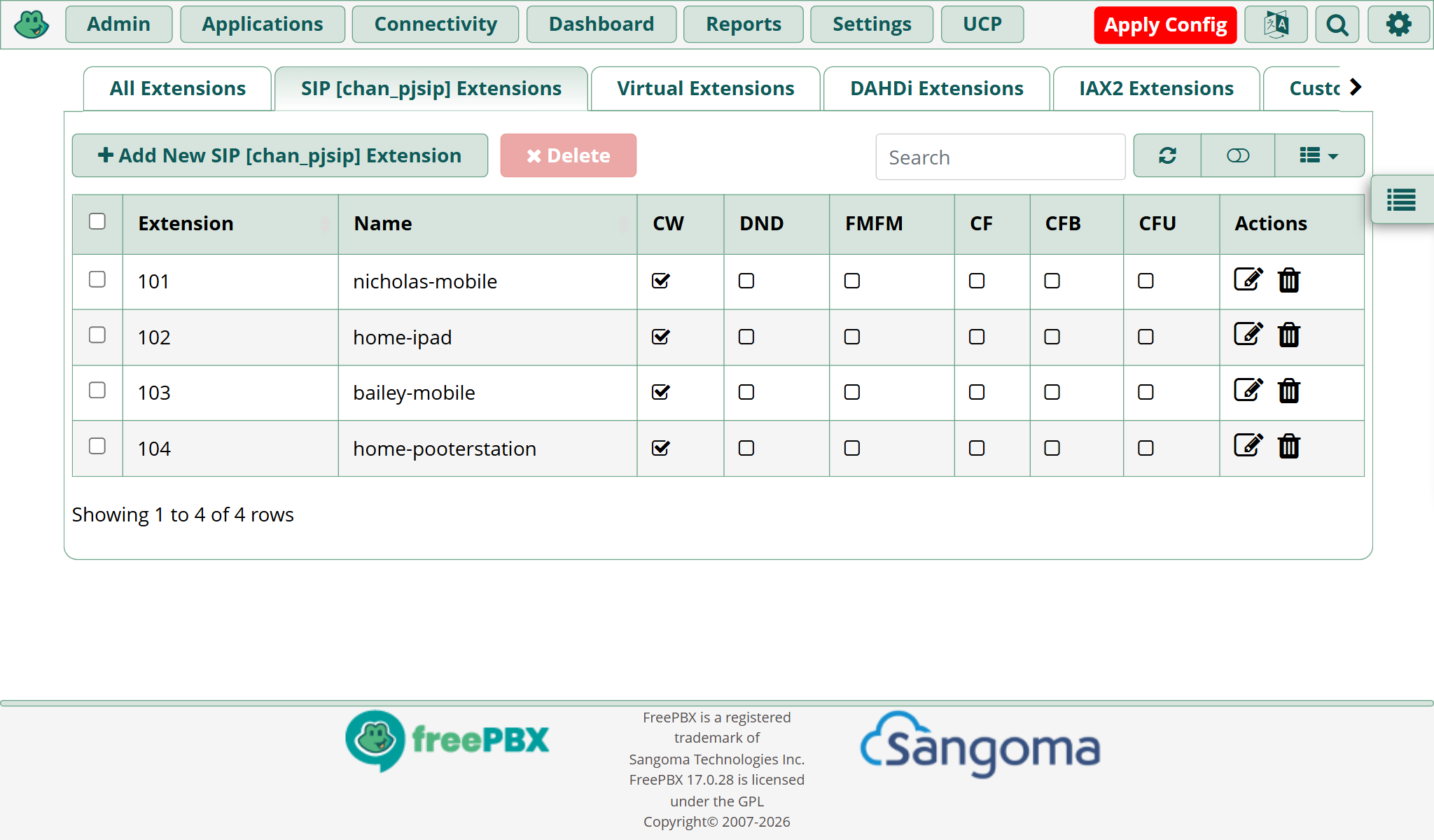
I configure FreePBX with one extension for each softphone, e.g.:
- Type: PJSIP extension
- Extension:
101 - Display name:
nicholas-mobile - Secret: strong SIP password, auto-generated in FreePBX
Softphone
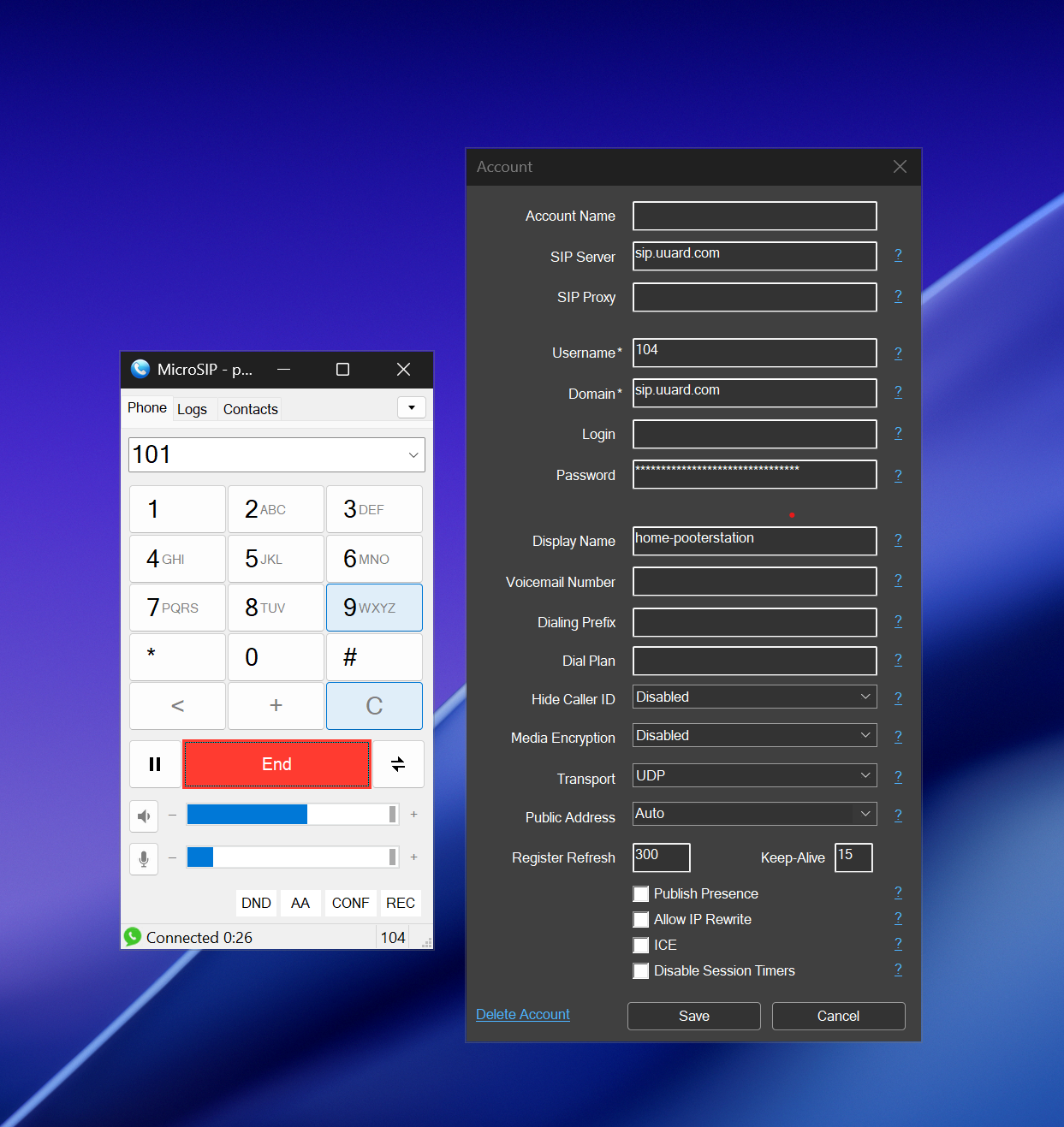
The softphone registers to FreePBX as the extension.
- App: MicroSIP on Windows or Linphone on Android
- SIP server or domain: FreePBX server address, e.g.
sip.uuard.com - Username: FreePBX extension number, e.g.
104 - Password: extension SIP secret
Once the account is configured, I expect it to be ‘registered’
BulkVS Configuration
BulkVS provides the phone number and the carrier side of the call path. I can use it to receive calls from the public phone network and send outbound calls from FreePBX.
- Create BulkVS account
- Fund account for testing: $25 minimum
- Purchase a DID
- Inbound > DIDs - Purchase.
- Enable BulkVS services: CNAM, Outbound, Inbound
- Account > Service Status.
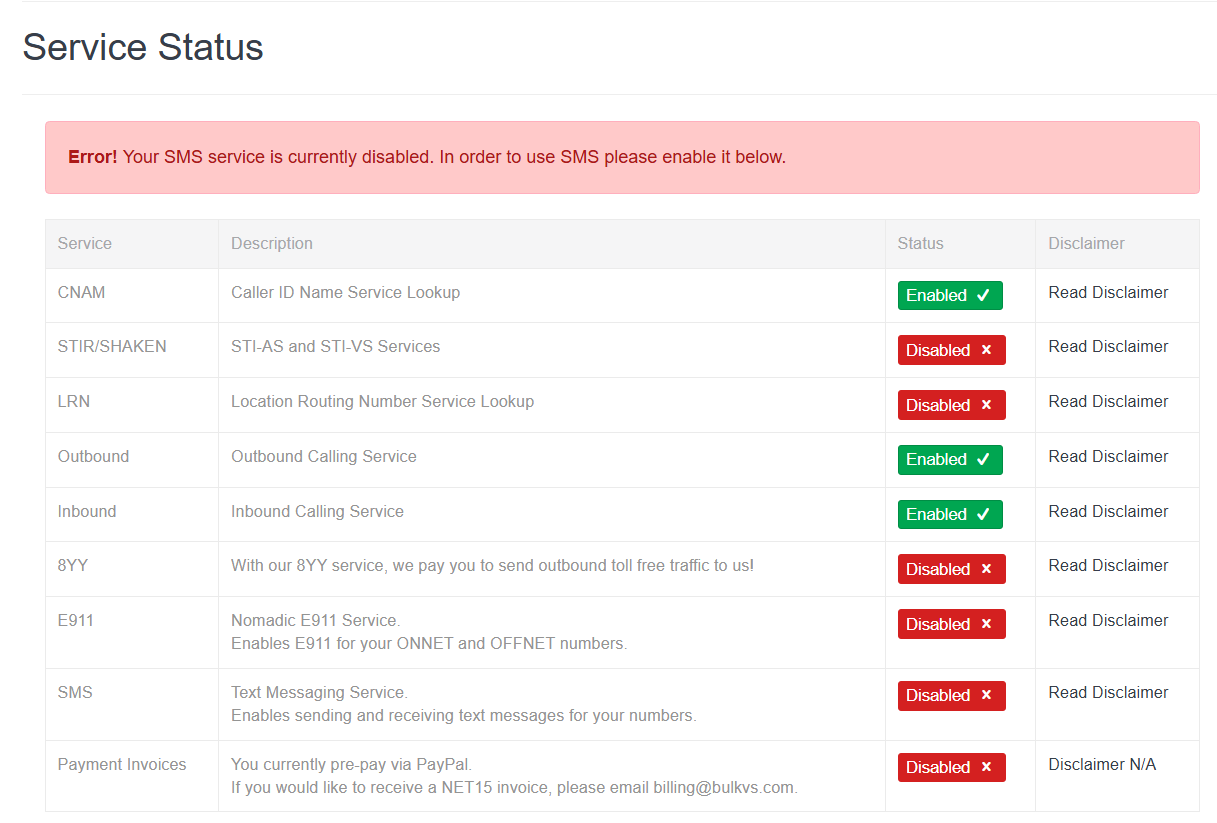
BulkVS is configured to know where my PBX lives and how to deliver calls to it. Next, I configure a host:
- In Interconnection > Hosts, supply internet-facing IP address of the PBX, e.g.
39.216.21.150. - To create a Trunk Group, go to Interconnection > Trunk Group - Manage.
- Select Create for SIP Registration Trunk Group.
- Trunk Group Name: e.g.
bulkvs-trunk - Password: e.g.
1#0LZWxh*B4ax28q - Digit Delivery: 11 Digits
- Trunk Group Name: e.g.
- Select Create for SIP Registration Trunk Group.
- In Inbound > DIDs - Manage, select view on the phone number. Select the trunk group
bulkvs-trunkand save changes.
FreePBX Configuration
FreePBX is configured with a PJSIP trunk that registers to BulkVS.
- Trunk name:
bulkvs-trunk - Type:
PJSIP - Authentication: BulkVS SIP registration username and password
- SIP server: value from the BulkVS portal, e.g.
sip.bulkvs.com - Registration: enabled with the BulkVS registration settings
- Match (Permit): BulkVS signaling IP addresses
- Codecs:
ulaw,alaw
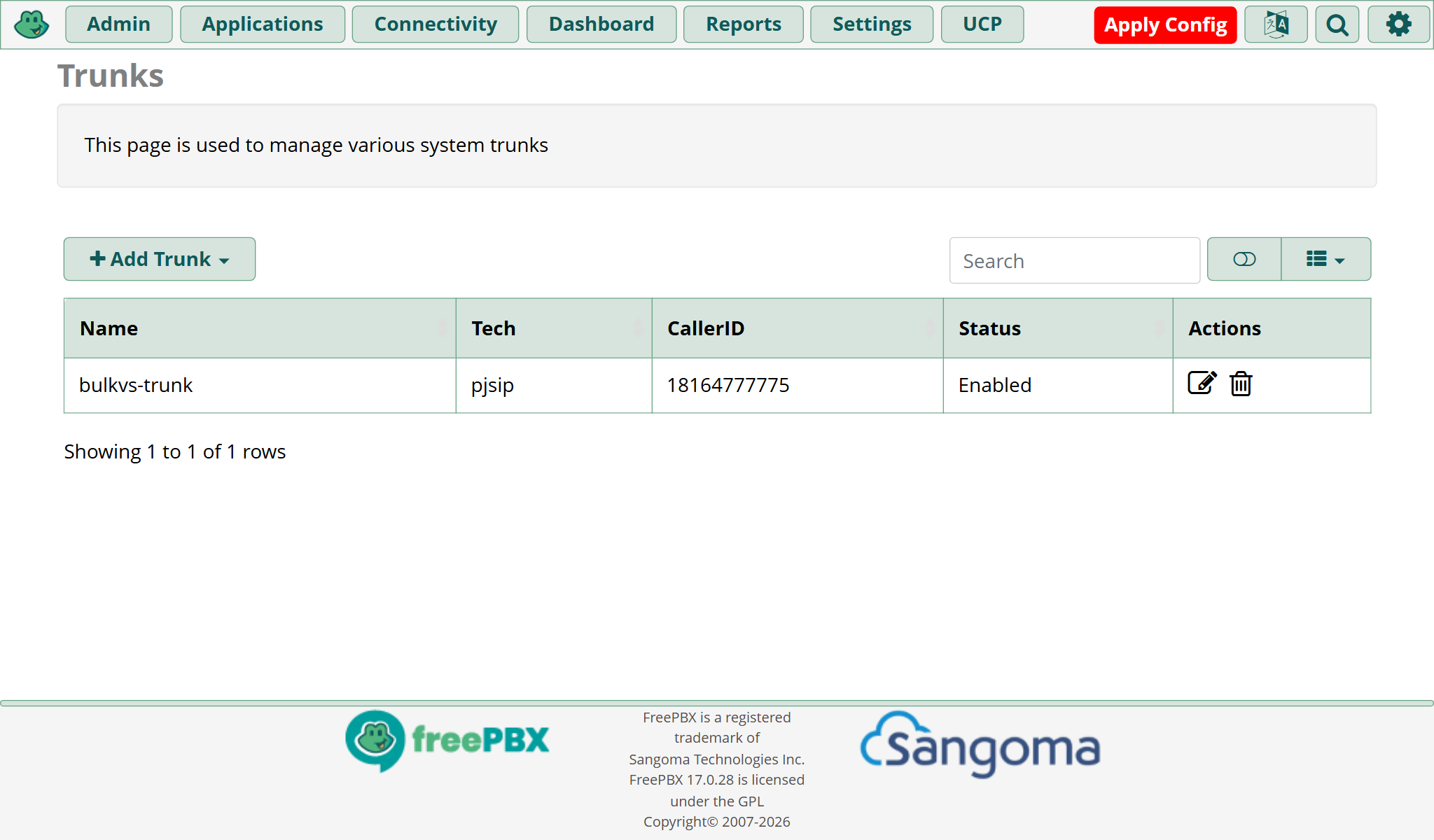
Inbound and Outbound routes
Inbound
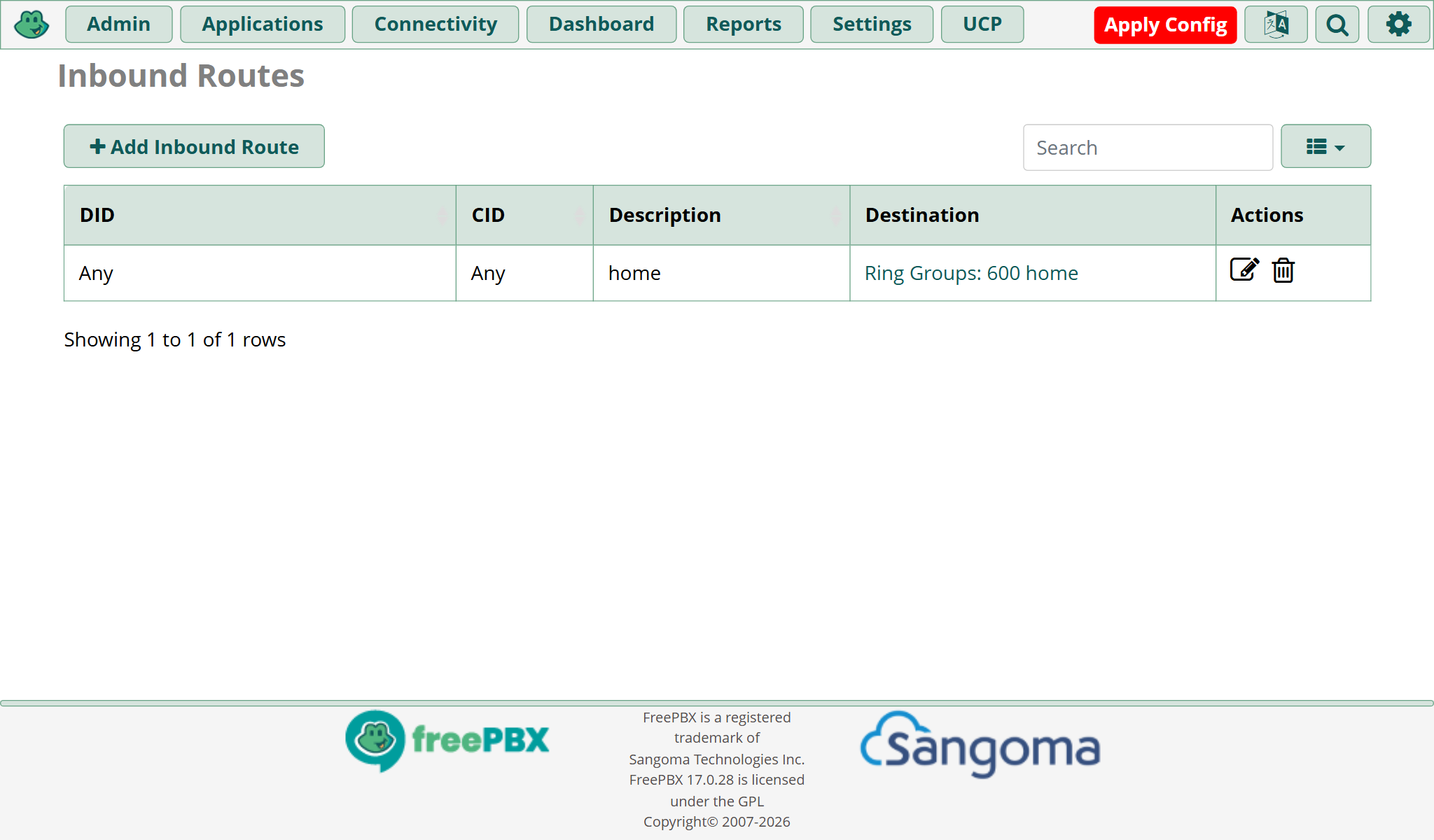
I create an inbound route for the BulkVS DID. Calls to the DID ring at the configured destinations:
- DID: BulkVS number in 11-digit format
- Destination: extension or ring group
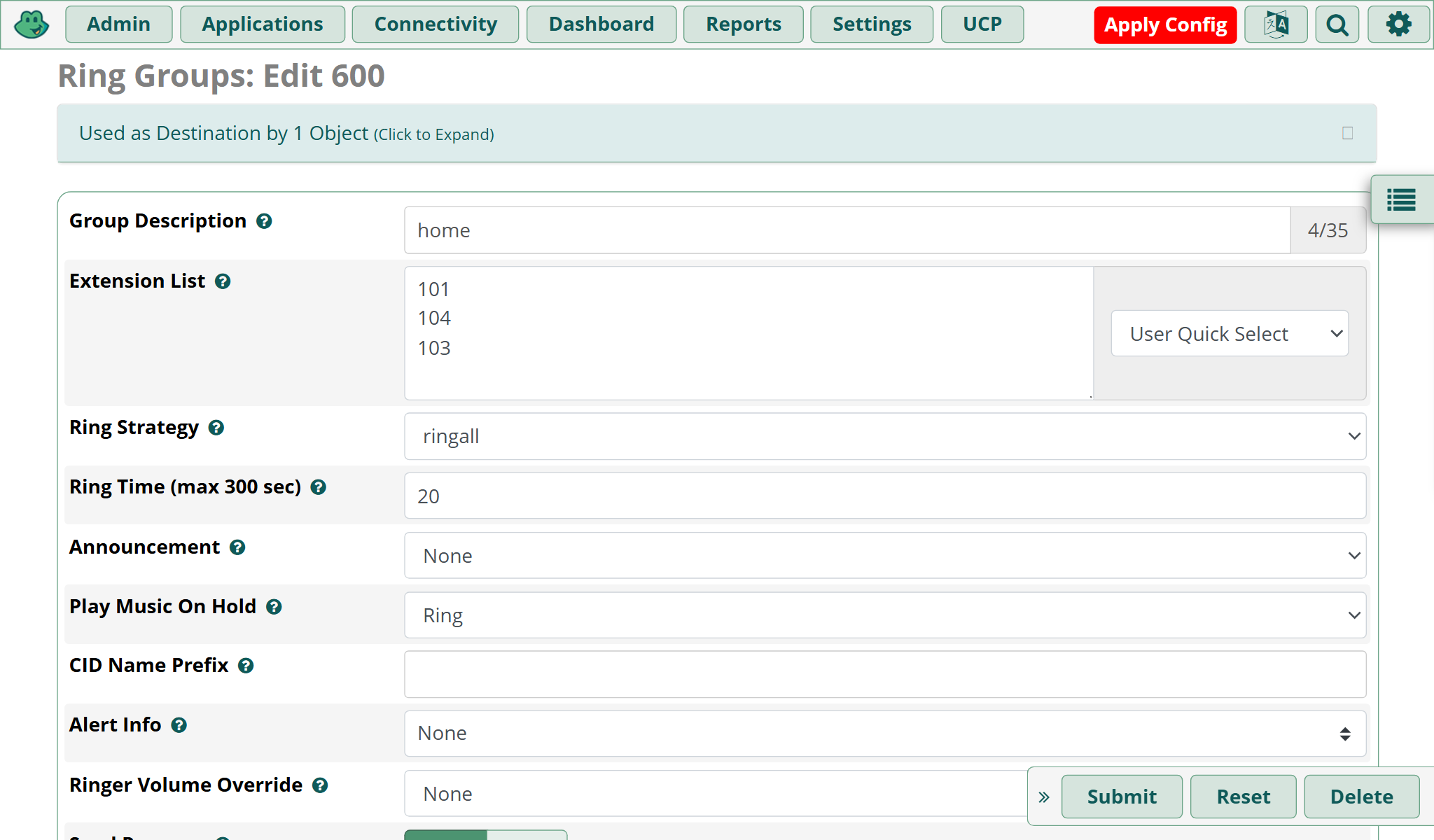
I have configured a ring group containing several extensions. Each extension in the ring group 600 will ring when the configured DID is called.

Outbound I also configure an outbound route that sends normal phone-number calls through BulkVS:
- Trunk sequence:
bulkvs-trunkfirst - Match pattern:
1NXXNXXXXXX - Match pattern:
NXXNXXXXXX - Prepend for
NXXNXXXXXX:1
🎉 It works!
✅ Done.